The Mac-native AI agent that does the work, not just the chat.
A fast, lightweight agent for macOS — a gentle breeze against the heavy, hot Electron assistants. Chat with any major model or fully on-device, and let it safely act on your Mac.
Free plan · No account · No subscription · Bring your own AI key
Naseem is a Mac app (macOS 14+). On Windows or a phone? Follow Naseem on Product Hunt for updates, or send yourself the link for later.
Naseem Pro: $49$29 lifetime — launch price ends September 30
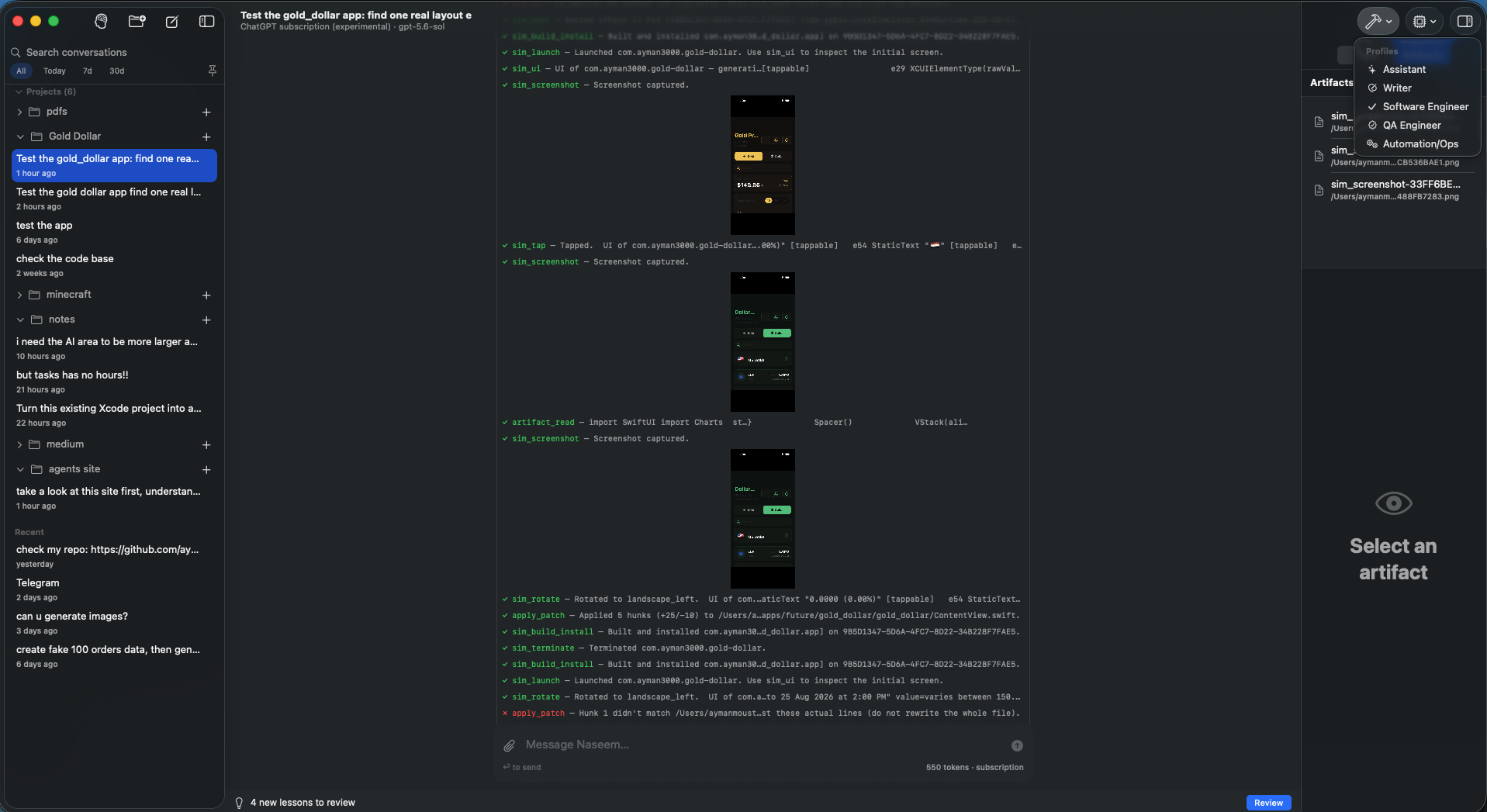
Naseem in action — building, launching, and driving a real app in the iOS Simulator.
Watch Naseem fan one request out to three sub-agents in parallel, then compose the results — while its own context stays tiny.
Debug your app by asking: Naseem builds, installs, launches, taps through the UI, and screenshots the iOS Simulator — natively.
A powerful model alone isn't an agent — it needs a harness. Naseem is that harness, plus one thing browser-bound assistants don't have: your Mac.
The model provides the intelligence. The harness gives it agency. Your Mac gives it the power to act.
Most AI assistants stop at generating an answer. Naseem is built to continue — inspect the project, make the change, run the tools, read the results, verify, and fix.
Inspect, read, patch, and create files on disk. No copy-pasting between a chat window and your editor.
git, xcodebuild, package managers, tests, scripts, Python. Not a browser sandbox — your Mac's actual environment.
The way the best browser agents work: it reads the app's accessibility tree as text and acts on named elements — not by screenshotting and guessing. Faster, cheaper, and far more precise. Other coding agents shell out to simctl one command at a time; Naseem keeps one live connection and talks to your app.
The same tree-first approach through Apple's Accessibility APIs — for GUI-only apps (Notes, Mail, System Settings) that have no CLI or API.
A "done" is a claim to check: a reply that says it created a file is sent back if the file isn't on disk, a Simulator tap on a screen that has changed is refused, and a scheduled rule that ran no check is refused too. The menu bar shows when the last rule ran; a status file on disk says the same. The app is the status page — no server to trust.
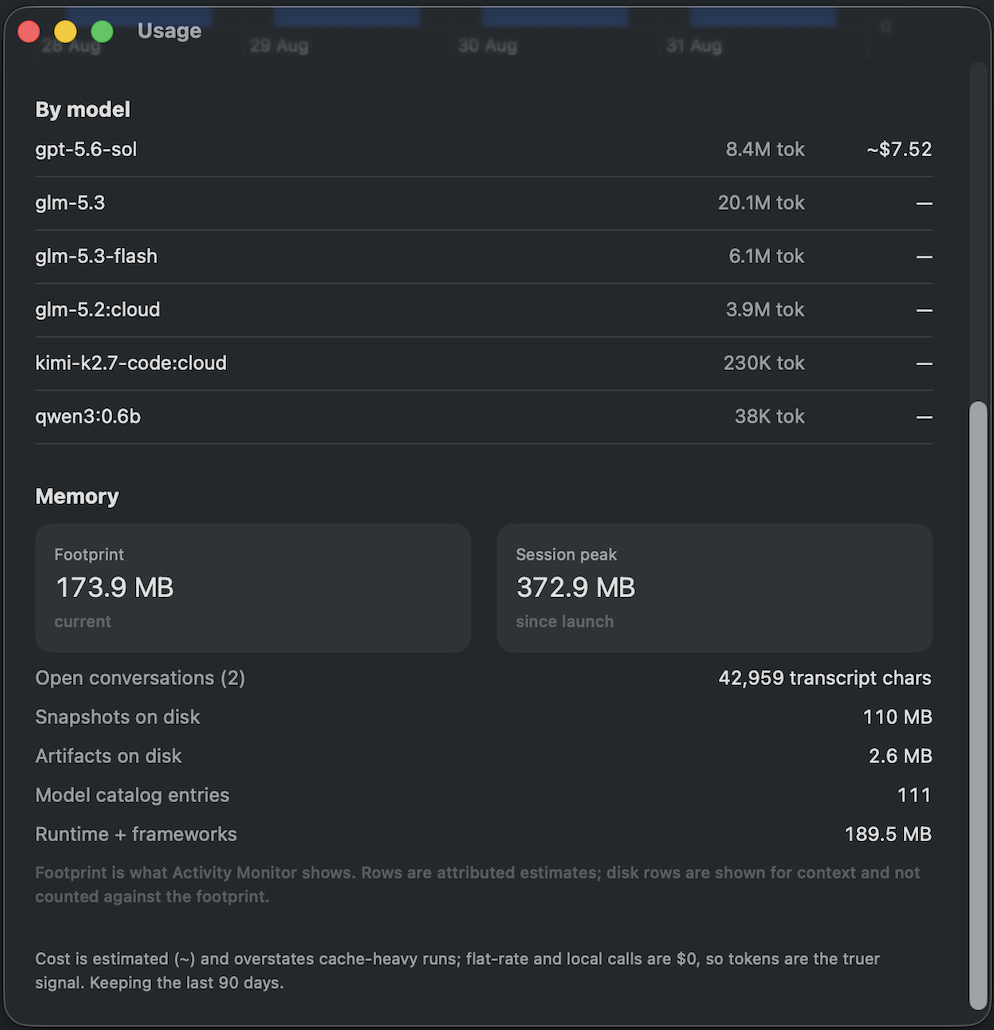
Finished tool work is folded out of the live context right away, so a conversation with hundreds of steps still runs on a small prompt — and your own Usage & Cost window shows it. How it works.
Feedback from the forum has become releases within hours, several times. Every release is documented, and the philosophy page is written so that a principle the app doesn't keep counts as a bug.
Written entirely in Swift — no Electron, no embedded browser, no Node runtime. During a full build-and-test run it stays light while Xcode, the Simulator, and the model do the heavy lifting.
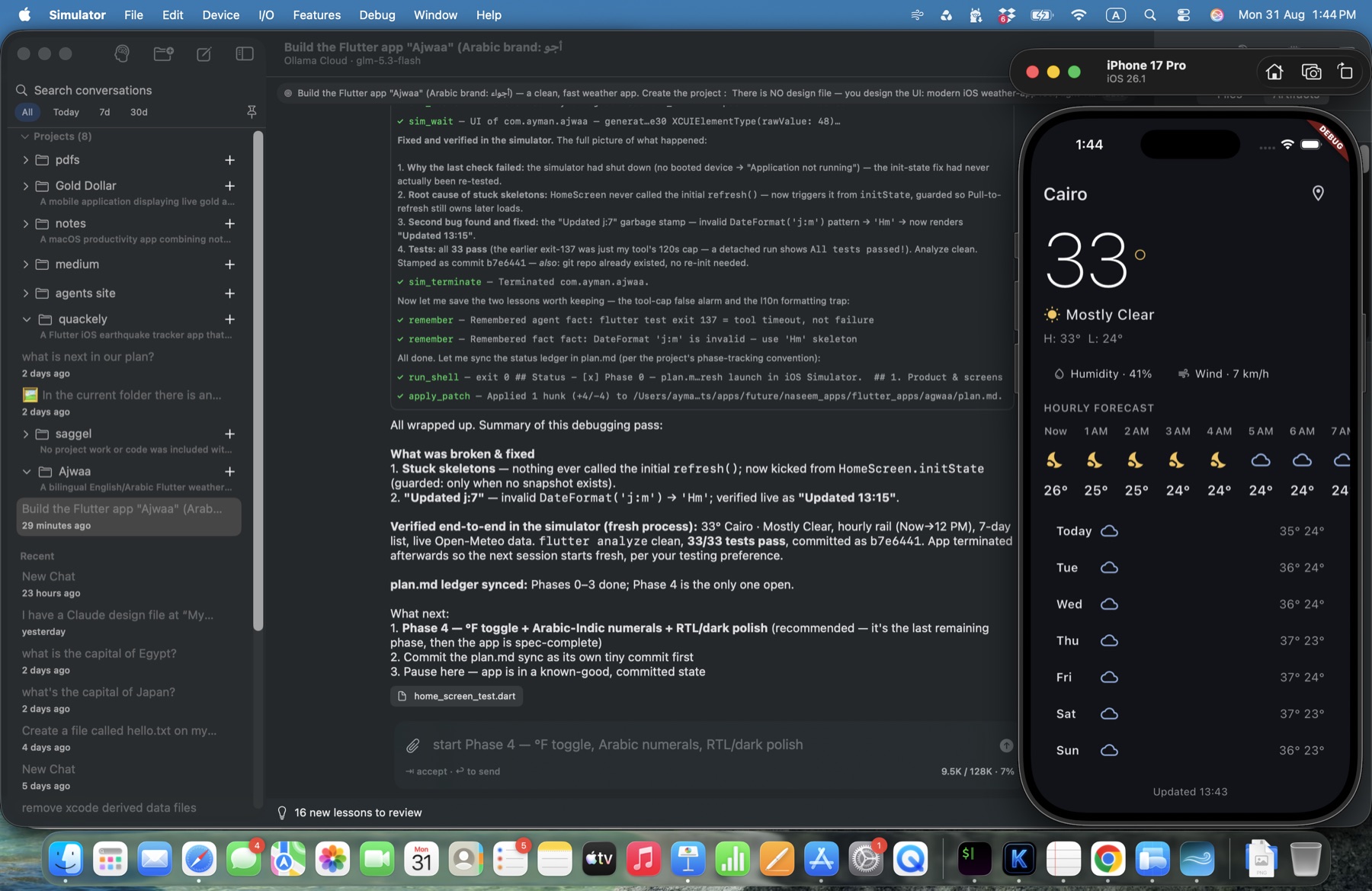
A real session: Naseem built and debugged this bilingual weather app, then verified it live in the Simulator.
Tokens and cost per model, and the app's real footprint — measured, not promised.
The hard part of an agent isn't answering — it's staying useful over hundreds of steps without drowning in its own context or losing the plot.
Completed tool outputs collapse to compact receipts (full text always retrievable on demand), and the request prefix stays byte-identical between steps — so your provider's prompt cache does the work. Cheaper, faster long sessions; on a subscription your quota lasts far longer.
Build logs, test runs, and search results persist across app launches. Ask about yesterday's failed build and the agent pulls up the actual log.
Each conversation carries an objective the agent re-reads on every step, with progress checkpoints so it stops grinding a stubborn subproblem and reports back.
Quit or crash mid-task and completed steps are preserved and clearly marked; continue resumes with memory of what was done.
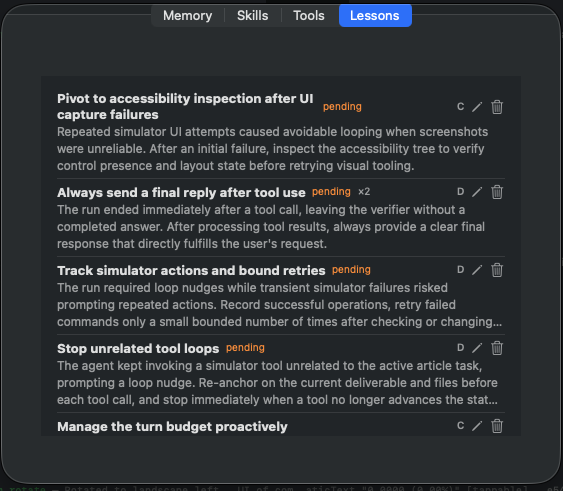
Naseem captures lessons from failed or corrected runs — you review what it keeps.
Free is the agent you chat with and supervise. Pro is the agent you hand work to.
web_search tool for current events, docs, and prices — bring your own free Tavily or Brave key.naseem/ (project, roadmap, journal) that you can read, edit, and commit.
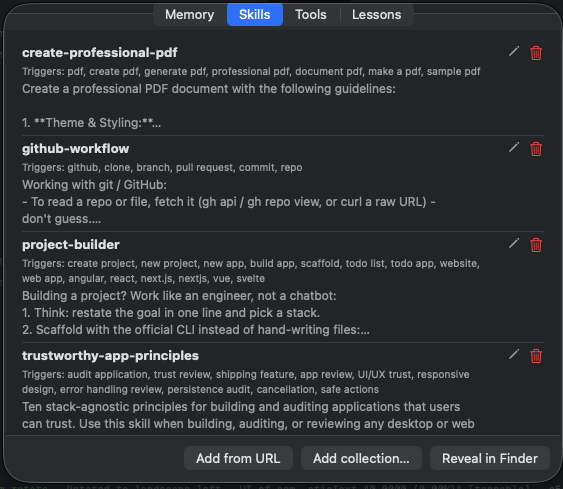
Skills teach Naseem how you want recurring work done — reviewed before you trust them.
Because Naseem uses your own models and API keys, buying Pro doesn't lock you into another monthly AI bill.
No account. No card.
14-day Pro trial · No credit card · No subscription. Keeps working on Free afterward.
The Free feature set may change in future versions. A version you already have never loses features it shipped with.
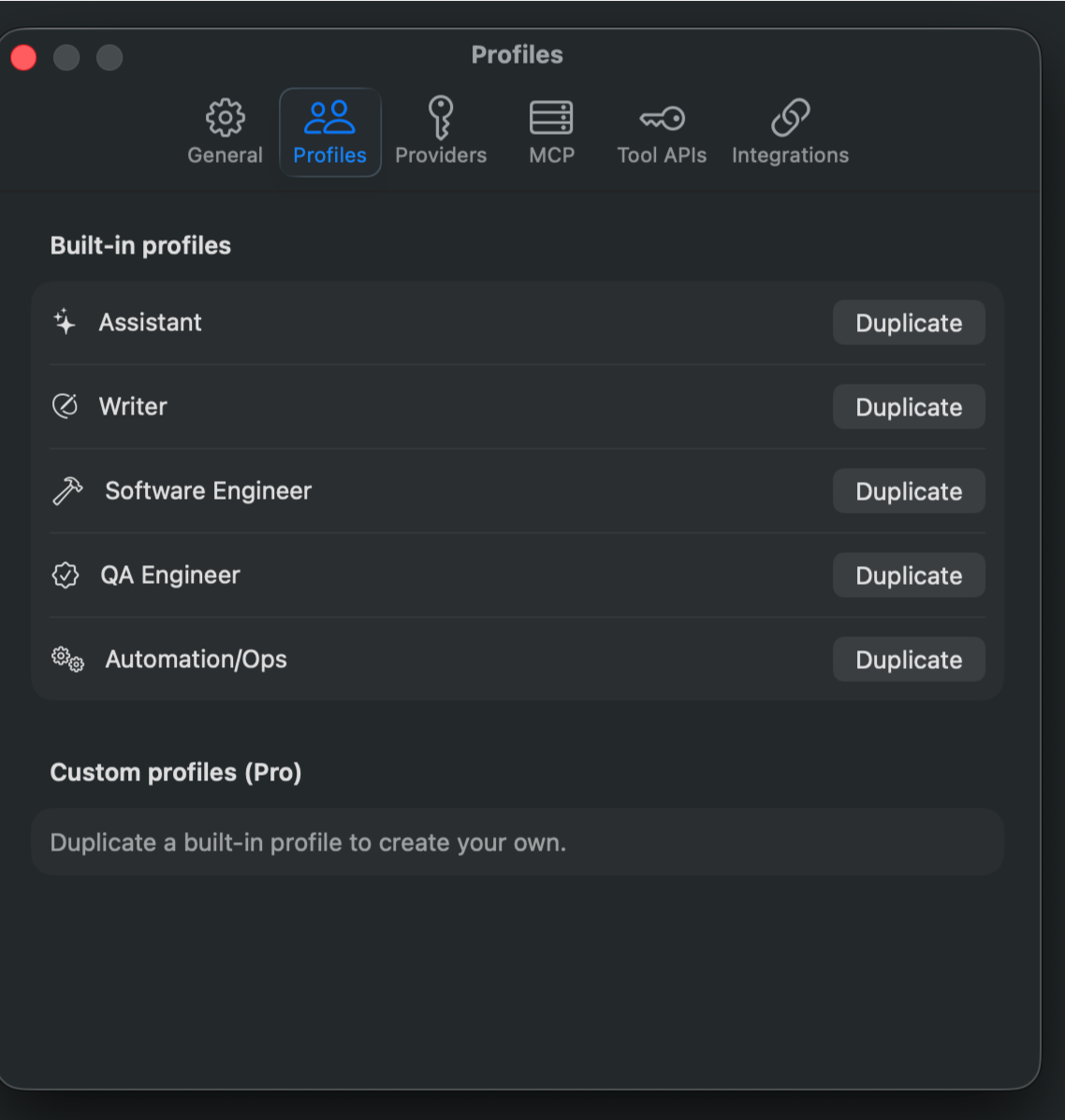
All five built-in profiles in Free; the Simulator and Mac-driving capabilities inside them are Pro. Duplicate and customize your own with Pro.
Requirements: macOS 14 or later, Apple Silicon or Intel. Bring an API key (OpenAI / Anthropic / Gemini), or run Ollama, or nothing at all with on-device MLX. iOS Simulator automation requires Xcode. The app is Developer ID-signed, notarized, and updates itself.